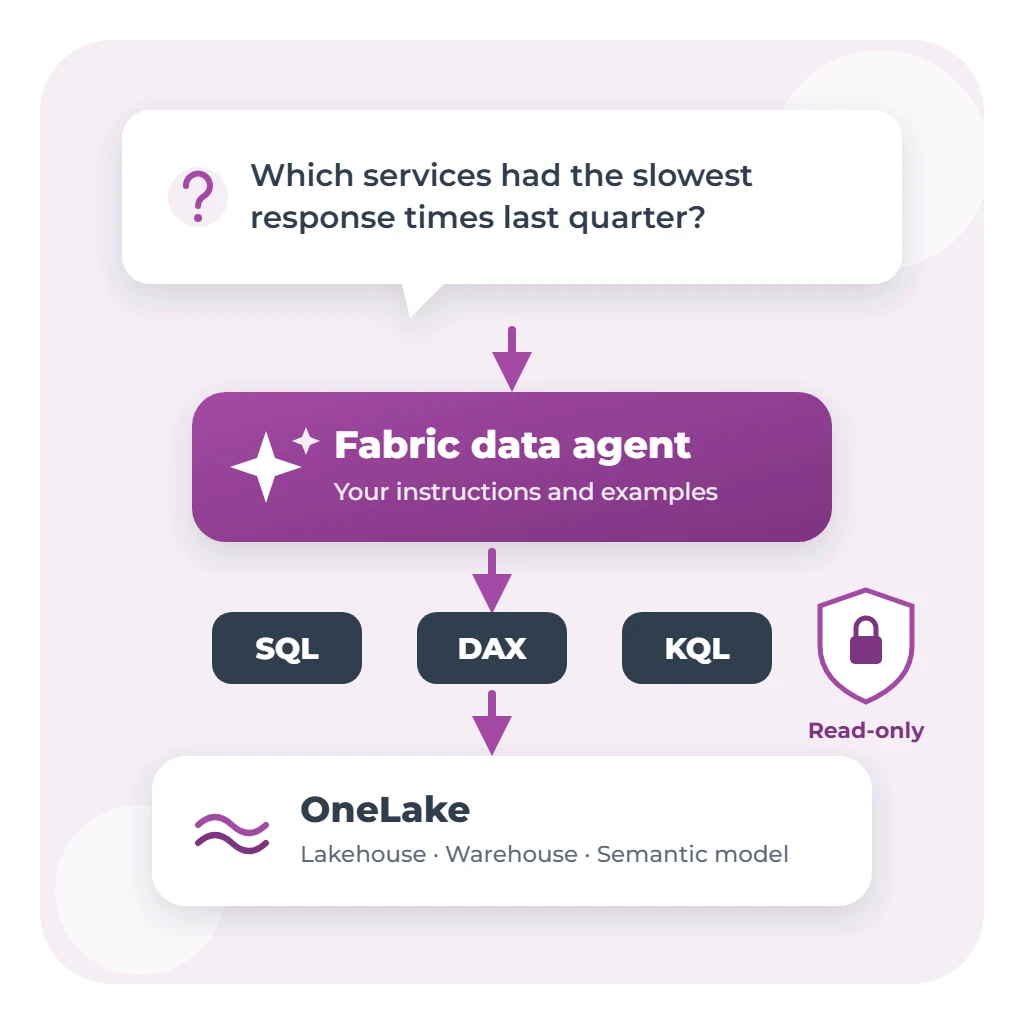
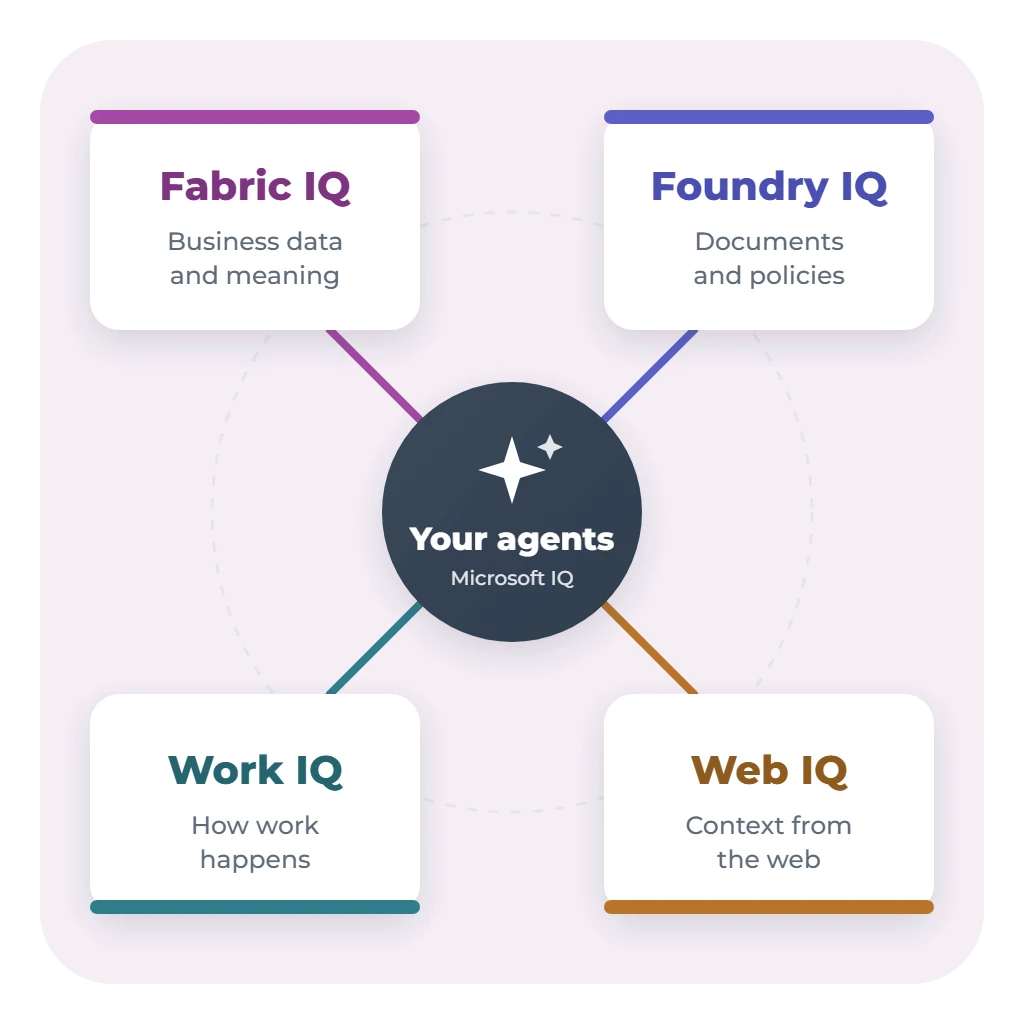
A Fabric data agent can answer questions about your data, but data alone rarely tells the whole story. Why is a number high? Which policy applies? Who's already working on it? Microsoft's answer is Microsoft IQ, which it describes as "the enterprise intelligence layer of the Microsoft stack": a set of context layers that Copilot and agents draw on, called Fabric IQ, Foundry IQ, Work IQ and Web IQ.
This guide explains what each layer gives an agent, how they work with Fabric data agents, what's ready to use now, and where Australian organisations should start. It's based on Microsoft's documentation and announcements up to October 2026. These products are changing quickly, so check each one's current status before you plan.
Why agents need more than data
A data agent sees tables and columns. It doesn't know that your organisation counts a request as "overdue" after ten working days, that a council policy sets the service standard, or that the team responsible discussed the backlog in yesterday's meeting. Without that context, an agent either gives a narrow answer or a confident wrong one.
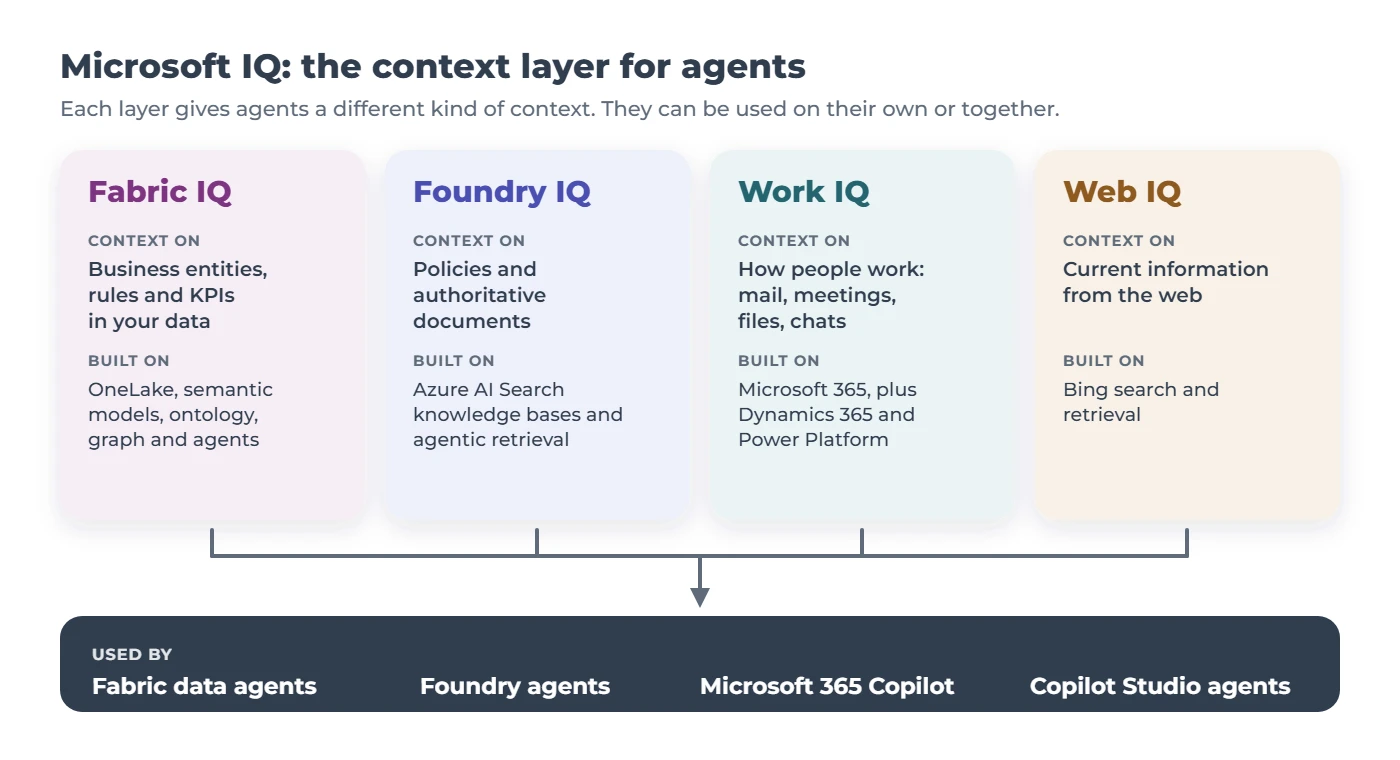
Microsoft IQ splits that context into layers. In Microsoft's words, "Work IQ provides context on how employees work, Foundry IQ provides context on an organization's policies and authoritative documents, Web IQ provides context from the web, and Fabric IQ provides context on business entities and data."
Fabric IQ: business data and meaning
Fabric IQ is the layer that sits closest to Fabric data agents. Microsoft describes three parts:
- Unified data in OneLake, brought together through lakehouses, shortcuts and mirroring.
- Power BI semantic models, with the measures, hierarchies and relationships your reports already use.
- Ontology, a shared, machine-readable model of your business: entity types such as Customer or Asset, their properties and relationships, business rules and metrics, bound to live data.
Around these sit Graph, for relationship questions such as "which assets depend on this one?"; planning, for budgets and forecasts; and two kinds of agent. Data agents answer questions grounded in semantic models and ontologies. Operations agents watch real-time data and recommend or trigger actions.
Your semantic models are the way in. Microsoft lets you generate an ontology directly from an existing Power BI semantic model, carrying its DAX measures across as metrics. A well-built, trusted semantic model today is the fastest path to Fabric IQ tomorrow.
Foundry IQ: documents and policies
Foundry IQ gives agents knowledge from content: policies, procedures, contracts and other authoritative documents. You create a knowledge base from one or more knowledge sources, such as SharePoint, Azure Blob Storage, OneLake or the public web. When an agent asks a question, Foundry IQ's agentic retrieval breaks it into smaller searches, runs them in parallel and returns grounded answers with citations.
- Permissions follow the user. Foundry IQ can synchronise access lists for supported sources, honour Microsoft Purview sensitivity labels and run queries under the person's own identity.
- It connects to Fabric IQ. A Fabric ontology can be used as a Foundry IQ knowledge source, currently in preview, so a Foundry agent can reason over your business model as well as your documents.
- It's built on Azure AI Search, and knowledge bases can be shared by several agents, including Copilot Studio agents.
Work IQ: how work happens
Work IQ gives agents context from Microsoft 365: mail, calendar, files, people, chats and sites, plus business and workflow data from Dynamics 365 and Power Platform. Agents reach it through standard interfaces: a remote MCP server with a small set of general tools, agent-to-agent (A2A) and a REST API. Every request runs as a specific person and only sees what that person can see, and each call is logged.
Work IQ is billed by usage, separately from Microsoft 365 Copilot licences. People with a Copilot licence get it inside Microsoft 365 Copilot experiences, while custom and third-party agents are billed by usage. Costs can be managed in the Microsoft 365 admin centre.
How they work with Fabric agents
The layers are separate, but they're designed to be combined:
- A Fabric data agent is part of Fabric IQ. It can use ontologies as a source, and also Microsoft Graph for organisational data.
- Publish the data agent to Microsoft 365 Copilot, and people can ask it questions in Teams alongside the workplace context that Work IQ provides.
- Build a Foundry agent when you need data and documents together. It can use a Foundry IQ knowledge base for policies, a Fabric ontology for business data, or call a Fabric data agent as a tool.
An illustrative example
A council operations manager asks: "Why are pothole repairs running late in the north ward?" Fabric IQ answers from the request and works-order data, using the council's definition of "late". Foundry IQ adds the road maintenance policy and its service standards. Work IQ adds who owns the backlog and what was agreed at last week's meeting. Each part only returns what that manager is allowed to see.
What's ready now
Microsoft's announcements and documentation don't always agree on status yet, so here's what each source says, with dates:
| Layer | Status |
|---|---|
| Fabric IQ | Announced as generally available at Microsoft Build (June 2026), with Graph and operations agents also generally available. Microsoft's documentation, updated in September 2026, still labels the IQ workload and ontology as preview, and Microsoft said in June that ontologies would be generally available "in the coming months". Fabric data agents are generally available. |
| Foundry IQ | Partly generally available. Microsoft's documentation (August 2026) says some features are generally available and others remain in preview, depending on the API version. The Copilot Studio integration is generally available. Using a Fabric ontology as a knowledge source is in preview. |
| Work IQ | Microsoft announced the Work IQ APIs as generally available from 16 June 2026, with usage-based billing. |
| Web IQ | Announced at Microsoft Build 2026. Microsoft hasn't published a status. |
A sensible rule: build production work on the generally available parts, and use preview features for pilots, because preview features come without a service-level agreement.
Australian considerations
- Data residency for Fabric agents. For an Australian capacity, Fabric data agents need tenant settings that let data sent to Azure OpenAI be processed and stored outside the region. Our guide to Fabric data agents explains the decision.
- Foundry IQ in Australia. Azure AI Search's agentic retrieval, the engine behind Foundry IQ, is listed as available in Australia East and Australia Southeast.
- Agents can carry data across services. When an agent is used from Microsoft 365 Copilot, Copilot Studio or Foundry, each service's own data handling terms apply. Check them with your privacy officer for each path you use.
- Budget for usage. Fabric agents use capacity, Foundry IQ uses Azure AI Search and model tokens, and Work IQ is billed by usage, so set budgets and monitor from the start.
Where to start
- Get your semantic models right. They feed Power BI, data agents and ontologies. Our Power BI Health Check reviews them at a fixed price.
- Organise your key documents. Put policies and procedures in SharePoint with the right permissions, because Foundry IQ follows them.
- Settle data residency with your privacy officer before any pilot.
- Pick one question that needs more than data, like the example above, and pilot it with a small group on generally available features.
Our Fabric Accelerator sets up the governed lakehouse and semantic models that Fabric IQ builds on, and our six-week AI Agent Pilot takes one process from idea to a working agent with measured results. Or book a 30-minute call to talk it through.