

Microsoft Fabric implementation, Perth and Australia-wide
Microsoft Fabric Accelerator
A governed Microsoft Fabric platform in four phases of up to a week each. You'll know the running cost before you start, and your team learns to run it as we build.

Sound familiar?
- You've bought Fabric capacity but aren't sure how to set it up properly.
- You're running Synapse, Data Factory and Power BI separately and paying for all of them.
- You're worried about Fabric costs and capacity sizing.
- Security and governance in Fabric feel complex.
What's included
- Workspaces for development, test and production.
- A medallion lakehouse, with bronze, silver and gold layers.
- Metadata-driven pipelines: new sources are added through configuration, not new code.
- A governed semantic model for Power BI.
- Workspace roles, row-level security and sensitivity labels.
- Deployment pipelines with Git, so changes are tested before they go live.
- Capacity sizing and cost monitoring, so there are no bill shocks.
Right for you if
- You've chosen Fabric, or already bought capacity, and want it set up properly.
- You're bringing Synapse, Data Factory or Power BI Premium together on one platform.
- You want to know the running cost before you commit.
- You want your own team to run and extend the platform.
Probably not right for you if
- You only need a few Power BI reports on Pro licences. Our Power BI Health Check is a better start.
- Your organisation has standardised on Databricks or Snowflake. We work with Databricks and Snowflake too.
- You need an agreed data strategy before choosing a platform. Start with a Data Strategy Sprint.
Why Choose Our Accelerator?
Microsoft Fabric puts every data workload in one place. Getting value from it still depends on how it's set up: the capacity you buy, how workspaces and security are organised, and how data moves from source to report. Our accelerator starts you on a foundation that has already worked in production, shaped to your organisation, so your team spends its time on insight rather than plumbing.
- Know the cost first. Our free calculator estimates your capacity and monthly cost in AUD from Microsoft's list prices, and the Assess phase confirms it from your real workloads. Estimate your cost
- A clear plan and timeline. Four phases of up to a week each: Assess, Deploy, Migrate and Enable. Still deciding on Fabric? Start with a fixed-scope review. Fabric Readiness Review
- Proven in delivery. The same foundation gave RAAFA WA its first enterprise data platform. Read the case study
- Built by people who teach Fabric. We run public and in-house Microsoft Fabric courses, so building your team's skills is part of the work, not an afterthought. Fabric training
- A framework we've written about. See how our pipelines and workspace security work before you talk to us. Metadata-driven pipelines Workspace security
- Local in Perth. We work on-site across Western Australia and remotely Australia-wide. Councils can invite us to quote through LGCA's AWARE portal. Local government
- Support after go-live, if you want it. Our managed services can monitor, support and keep improving the platform once it's live. Managed services
- Data Factory
- Data Engineering
- Data Warehouse
- Databases
- Real-Time Intelligence
- Data Science
- Power BI
OneLakeone copy of your data, shared by every workload
Key Benefits
What the accelerator changes for your organisation, and the Fabric features behind each benefit.
Value sooner
You start from a working foundation, not a blank workspace. Your first data sources reach Power BI early, and each new one builds on what's already there.
Proven, reusable patternsOne copy of the data
Fabric keeps data in OneLake, and shortcuts reference data held elsewhere, such as Azure Data Lake Storage or Amazon S3, without copying it. Fewer copies mean fewer versions of the truth.
OneLake and shortcutsCheaper to grow
New sources and tables are added through configuration rather than new code, so extending the platform never means rebuilding it.
Metadata-driven ELTData people can trust
Endorsement marks the data that's been checked, lineage shows where a report's numbers come from, and Microsoft Purview sensitivity labels protect what's confidential.
Endorsement, lineage, labelsCosts you can see
Fabric capacity can be resized, and paused when it isn't needed. The Capacity Metrics app shows what's using it, so you size on evidence, not guesswork. Estimate your cost
Capacity Metrics appReady for AI
Copilot and Fabric data agents give better answers on clean, well-modelled data. A curated gold layer and a governed semantic model give them exactly that.
Gold layer and semantic modelHow we work
1
Assess
Up to 1 weekWe review your current platform, sources and reports, and size your Fabric capacity.
2
Deploy
Up to 1 weekWe deploy the accelerator: workspaces, lakehouse, pipelines and security.
3
Migrate
Up to 1 weekWe onboard your priority data sources and reports onto Fabric.
4
Enable
Up to 1 weekWe train your team and hand over a platform they can extend confidently.
 ATA LEAGUE
Microsoft Fabric cost & ROI calculator
How much would Microsoft Fabric cost your organisation, and what would it give back? Move the sliders to get an instant estimate of the capacity you need, what it costs in Australian dollars and how many hours your team could save. Then send it to your CFO.
Your inputs
Your estimate
Recommended Fabric capacity
F8
Monthly cost
Annual cost
Time saved
Value of time saved
Email to your CFO
Copied, including a link to these results.
How we calculate this
- Prices are Microsoft list prices in AUD for the Australia East region (October 2026): A$0.2992 per capacity unit (CU) hour pay-as-you-go, A$1,558.52 per CU per year reserved, A$0.0356 per GB per month for OneLake storage, and A$21.00 per user per month for Power BI Pro.
- Microsoft can change these prices at any time. Check current rates on Microsoft's Fabric pricing page or in the Azure pricing calculator before you budget, and note that your own agreement may include discounts.
- Capacity is sized from data volume, number of sources and report concurrency. The range runs from the recommended tier to one tier above it, to allow headroom for growth and peak loads.
- From F64 upwards, report viewers don't need a Pro licence. The calculator picks whichever option is cheaper.
- Time saved assumes 3 hours per source per month on pipeline build and maintenance with our metadata-driven accelerator, 2 to 6 hours per report builder per month on report preparation, and admin time saved by retiring legacy tools.
- Estimates exclude implementation services, networking, backup and taxes. Your actual consumption depends on workloads. Ask us for a capacity assessment to get a firm number.
Get a free review of your estimate
A consultant will sense-check your numbers against your real workloads, confirm the capacity you need and outline an implementation plan.
The estimate is calculated in your browser. We only receive it if you ask for a review. We also record anonymous usage statistics, such as whether the calculator was used and whether the summary was copied or printed, without any personal details.
What our clients say about us
 Gloria Davis
Chief Information Officer
RAAFA WA
Gloria Davis
Chief Information Officer
RAAFA WA

- Engagement
- RAAFA WA's first enterprise data platform
- Delivered
- A Microsoft Fabric lakehouse that brings their application data together
- Outcome
- More reliable, trusted reporting, and a team able to extend it
DATA LEAGUE worked with us to establish RAAFA WA’s first enterprise data platform. They took the time to understand what we needed and delivered a practical, scalable Microsoft Fabric Lakehouse that brings our application data together, giving our teams more reliable and trusted reporting. Importantly, they have also focused on knowledge transfer so our team can confidently support and extend the platform as our needs evolve. I’d happily recommend working with DATA LEAGUE.
- First enterprise platform
- Practical and scalable
- Trusted reporting
- Knowledge transfer
Not sure where to start?
Take our free 5-minute Data Maturity Assessment. You'll get an instant score, a benchmark comparison and the three things to fix first.
Frequently Asked Questions
It's our proven Fabric foundation, shaped to your organisation: workspaces for development, test and production; a medallion lakehouse; metadata-driven pipelines; a governed semantic model for Power BI; workspace roles, row-level security and sensitivity labels; deployment pipelines with Git; and capacity sizing and cost monitoring.
We work in four phases of up to a week each: Assess, Deploy, Migrate and Enable. The Migrate phase brings across your priority data sources and reports. More sources can be added afterwards through configuration, by us or by your own team.
There are two parts. Fabric itself is billed by Microsoft, and our free calculator estimates your capacity and monthly cost in AUD. Our fee depends on the number of data sources and reports in the first release, and we confirm it with you before we start. If you're still deciding on Fabric, our Fabric Readiness Review is a fixed-scope first step.
Not necessarily. From F64 upwards, people who only view reports don't need a Power BI Pro licence. Below F64, everyone who views reports needs one, but the capacity costs much less and, on pay-as-you-go, can be paused when it isn't needed. The calculator compares both options for your number of users.
Microsoft is moving Power BI Premium capacity customers to Fabric capacity (F SKUs), and an F64 is the equivalent of a P1. We plan the move of your workspaces to the new capacity, check what's using it, and set up the Fabric features you'll start using.
Your data is stored in the region of your Fabric capacity, so choosing Australia East or Australia Southeast keeps it in Australia. We set up workspace roles, row-level security and sensitivity labels so people only see what they should, which supports your obligations under the Australian Privacy Act. See our Trust & Security page.
You can use and extend everything we deliver, as you need. Where we use our own accelerator framework, DATA LEAGUE keeps ownership of the framework itself, and you're free to use and extend it as you need.
Yes. The Enable phase trains your team and hands the platform over with documentation, and we run public and in-house Microsoft Fabric courses for deeper skills. If you'd rather we keep it running, our managed services can monitor, support and improve the platform.
Insights & Resources
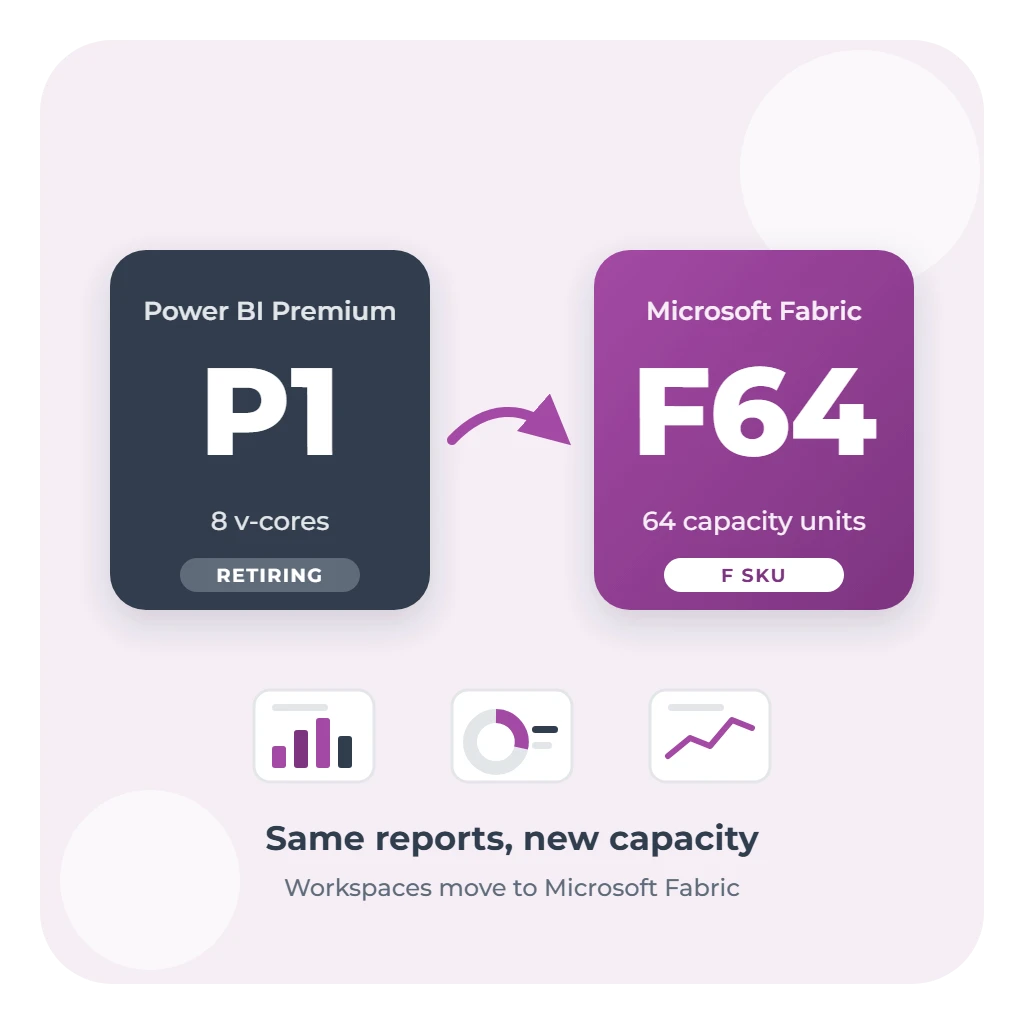
Moving from Power BI Premium (P SKU) to Fabric (F SKU)
Power BI Premium P SKUs are being retired. What changes, the 90-day timeline, which F SKU replaces yours, the cost in Australia and how to move safely. 5 min read
Microsoft Fabric vs Databricks vs Snowflake
Architecture, pricing models, BI, AI and governance compared: a balanced guide to when each platform fits. 4 min readReady to get Fabric working for you?
Book a 30-minute call with one of our Fabric specialists. We'll talk through your current platform and what you want from Fabric, and suggest whether the accelerator or a Readiness Review is the right first step.