
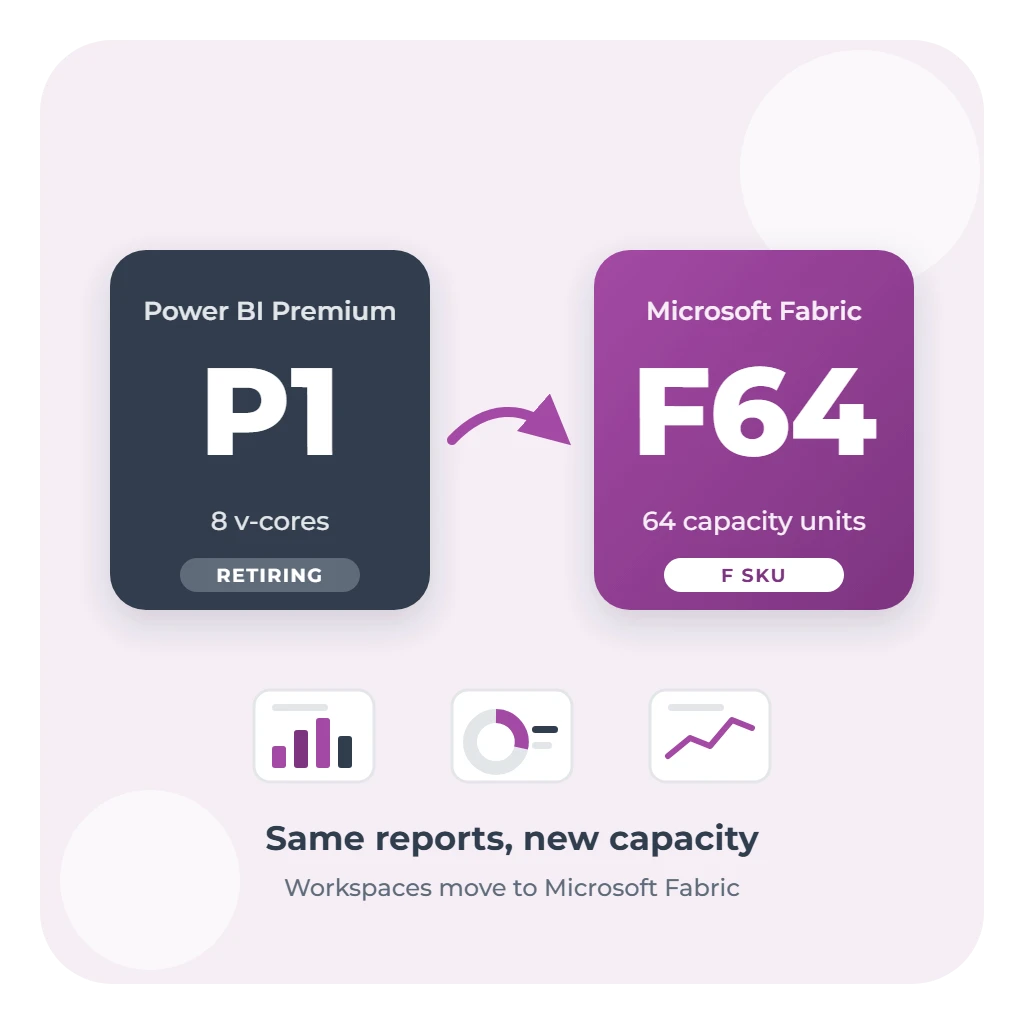
Microsoft is retiring Power BI Premium per-capacity licences, the P SKUs. Each P SKU subscription ends at the end of its current agreement term, Microsoft no longer sells new ones, and the replacement is Microsoft Fabric capacity: the F SKUs. If your organisation's reports run on a P1 or larger, the move needs to be planned before your renewal date.
This guide explains what's changing, what happens if you miss the date, which F SKU replaces yours, what it costs in Australia, and how to move with minimal disruption. It's based on Microsoft's migration guidance, last updated in July 2026.
What's changing, and what isn't
- P SKUs (P1 to P5) are being retired. Your subscription isn't renewable when its term ends. Enterprise Agreement customers can keep renewing existing P SKU capacity each year until the agreement itself ends; customers with expiring agreements can't add or buy P SKU capacity.
- Per-user licences aren't affected. Power BI Pro and Premium Per User (PPU) continue as they are.
- Embedded licences aren't affected. The EM and A SKUs aren't part of the retirement, and every F SKU includes Power BI Embedded.
For the people who use reports, very little changes. Reports, semantic models, dashboards, apps, deployment pipelines and Git integration keep working once their workspaces move to the new capacity.
If you miss the date
Microsoft's timeline after a P SKU subscription ends is:
| When | What happens |
|---|---|
| Days 1 to 30 | A grace period: the capacity keeps running at its current size, and you can still move workspaces to an F SKU. |
| Days 31 to 90 | Access is throttled, so interactive operations such as opening reports are delayed. |
| Day 91 onwards | All operations are rejected. Your data is kept, but it can't be used until the workspaces move to an F SKU. |
Microsoft is clear that the grace period is a safety net, not a migration window. Plan to finish before your subscription ends.
Which F SKU replaces yours
Each P SKU v-core corresponds to 8 capacity units (CUs), so the equivalent sizes are:
| P SKU | Equivalent F SKU |
|---|---|
| P1 | F64 |
| P2 | F128 |
| P3 | F256 |
| P4 | F512 |
| P5 | F1024 |
The equivalent size is a safe starting point, not a rule. Check your current use in the Capacity Metrics app first. A capacity that runs well below its limit for most of the day might suit a smaller F SKU, while one that regularly hits 100% needs the equivalent or larger.
Size matters for licensing too. On F64 and larger, people who only view reports can use a free licence, the same as on a P SKU. On F2 to F32, every viewer needs Pro or PPU. If many of your report readers rely on free licences today, moving below F64 means buying them Pro licences.
What it costs in Australia
F SKUs are billed through Azure, at regional prices. In Australia East and Australia Southeast, at Microsoft's October 2026 list prices before GST, an F64 costs:
- About A$13,979 a month on pay-as-you-go, running around the clock.
- About A$8,312 a month on a 1-year reservation, about 41% less.
Microsoft can change these prices at any time. Check current rates on Microsoft's Fabric pricing page or in the Azure pricing calculator before you budget, and note that your own agreement may include discounts.
Microsoft notes that pay-as-you-go rates are typically higher than the equivalent P SKU, so for a production capacity that runs all the time, a reservation is usually the right choice once your consumption is steady. Pay-as-you-go suits the first weeks after the move, and capacities you can pause outside business hours. Our guide to what Microsoft Fabric costs in Australia covers every size.
What changes for administrators
- Buying and billing move from the Microsoft 365 admin centre to Azure, with costs in your Azure subscription and Microsoft Cost Management.
- Autoscale goes. F SKUs don't have P SKU autoscale. Instead, you resize the capacity up or down in the Azure portal, and new surge and overage protection settings help control consumption.
- Pause and resume are available on pay-as-you-go capacities, which P SKUs never offered.
- Power BI Report Server licences come with a Fabric reservation of F64 or larger, or with SQL Server Enterprise Edition with Software Assurance. Check this before you cancel the P SKU.
- Some settings don't carry over. Capacity-level workload settings, admin permissions and tenant settings for creating Fabric items need checking after the move.
How to move safely
- Decide. Pick your target F SKU, your billing model and, ideally, the same Azure region as your current capacity.
- Plan. List your workspaces, capture a baseline in the Capacity Metrics app, and choose a pilot workspace. A Fabric trial lets you test workloads before you buy.
- Provision. Buy the F SKU in Azure before you move anything.
- Migrate and validate. Reassign workspaces to the new capacity, then check refreshes, reports and gateways. Active refreshes can be interrupted during reassignment, so do it outside busy periods.
- Decommission. Cancel the P SKU yourself once everything is validated. It isn't cancelled automatically when you buy the F SKU.
Keep it in the same region. A same-region move is low risk with no expected downtime beyond interrupted refreshes. Moving regions at the same time is much harder: large-format semantic models and Fabric items such as lakehouses and notebooks don't survive a cross-region reassignment and have to be recreated. If your current capacity isn't in an Australian region and data residency matters, plan that as a separate piece of work.
After the move
Watch the new capacity in the Capacity Metrics app for one to two weeks, and through a month-end, before you treat it as settled. If you see overloads, Microsoft's guidance is to check for workload changes, such as new content or changed refresh schedules, before assuming the new capacity is the cause. Set Azure budgets and alerts, and move to a reservation once daily use is steady.
The move is also a good moment to look at what Fabric adds beyond Power BI: mirroring and shortcuts to bring data into OneLake, and Direct Lake models that read it without scheduled imports. Microsoft recommends treating these as separate steps after the licence move, so they don't hold it up.
Not sure where to start? Our fixed-scope Fabric Readiness Review checks your current capacity, recommends the right F SKU and plans the move. If you're ready to go further, our Fabric Accelerator sets up a governed Fabric platform in four phases of up to a week each.