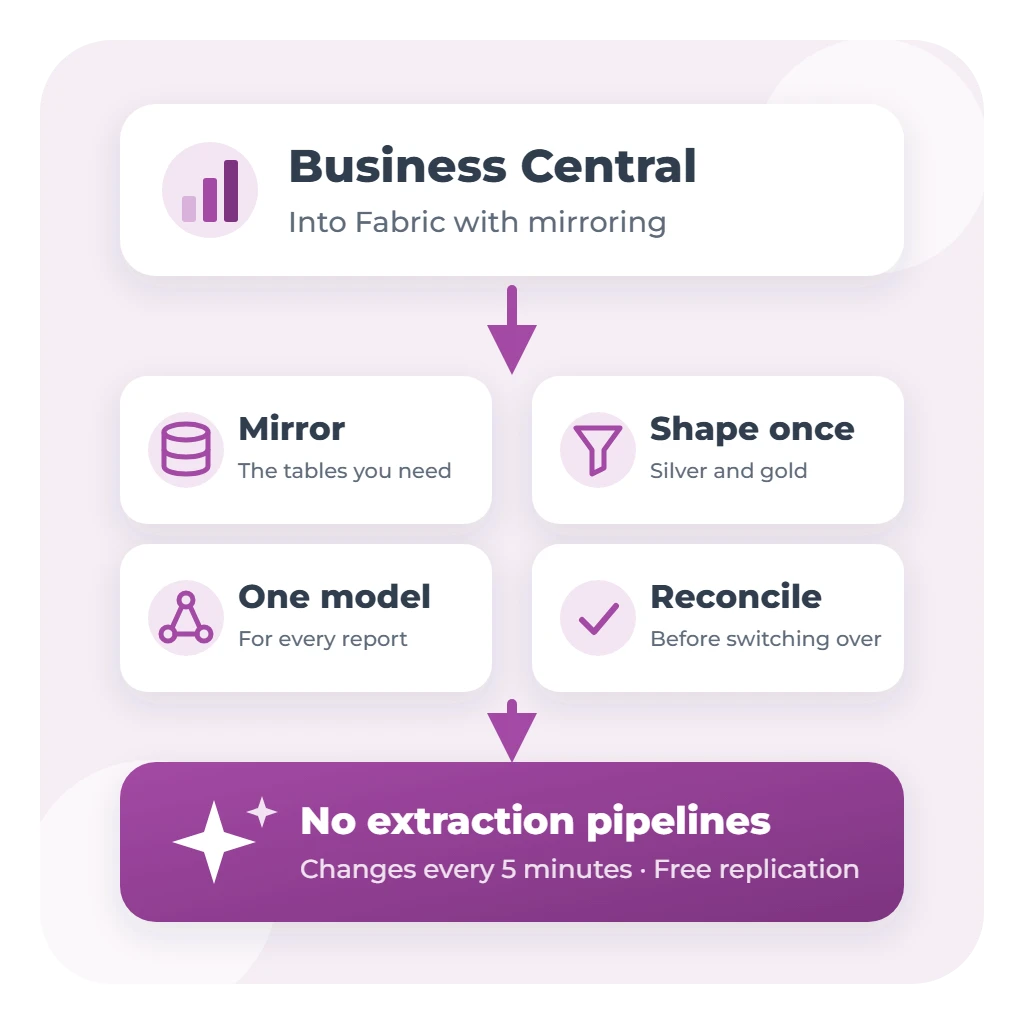
Most Business Central reporting starts the same way: Power BI reports calling the Business Central APIs, or a sync tool dropping extracts into files. It works until the data grows. Refreshes slow down or get throttled, every report reshapes the same tables, and joining finance data with anything outside Business Central means another workaround. Mirroring changes that. Business Central copies the tables you choose into Microsoft Fabric and keeps them up to date, with no extraction pipelines to build.
This page sets out the architecture we start from, the decisions to make, and the risks to plan for. It's one of our scenario pages, applying the defaults in our Fabric architecture guide to one situation. If you run Dynamics 365 Sales, Customer Service or Finance and Operations instead, the route is different.
Business Central mirroring is a production-ready preview, and Fabric changes every month. Every statement here links to the Microsoft Learn page behind it, and we recheck them each quarter. Treat this as a starting architecture to discuss, not a statement of what Microsoft supports for your environment.
Who this suits
- You run Business Central online, on version 29.1 or later, or can upgrade to it.
- Your Power BI reports read Business Central through its APIs, the Business Central Power BI apps, or exported files.
- Refreshes are slow or throttled, or you want to combine Business Central data with other systems.
- You have, or are ready to buy, a Fabric capacity.
Microsoft's own guidance is the same: use mirroring when API-based report refreshes are slow or throttled, or when you want to combine Business Central data with data from other systems. If your API-based reports are fast and Business Central is your only source, mirroring is optional.
Where teams usually start
Each report connects to Business Central on its own, through the APIs or through files from an extract tool. The same customer, item and ledger tables are fetched and reshaped in every model. Calculations that Business Central shows on its pages, such as balances, are rebuilt in DAX report by report. And because the data never lands anywhere shared, there's no single place to join it with payroll, CRM or operational data.
The goal is one copy of the Business Central tables in Fabric, kept current automatically, with the business logic built once on top of it.
The architecture
Text version of this diagram
- Business Central online, version 29.1 or later, with the Business Central Mirroring to Fabric extension installed, exports the chosen tables every five minutes by default.
- An open mirrored database in a Fabric workspace receives them as a read-only copy.
- A notebook cleans and shapes the mirrored tables.
- A lakehouse stores the silver and gold tables.
- One shared semantic model reads the gold tables.
- Viewers use the reports through a Power BI app.
- Replication is free and doesn't use capacity units, but the capacity must be running: a paused capacity stops replication.
The set-up happens in both products. In Fabric, you create an open mirrored database and give a Microsoft-provided application access to the workspace. In Business Central, you connect to that database, choose the companies and tables, and start synchronisation. There's no app registration or client secret of your own to manage. From then on, Business Central sends an initial snapshot followed by the changes.
The decisions to make
Six decisions shape this architecture. Each follows the same pattern as the guide: our default, when to move away from it, and what it costs you.
1. Which connector
- Our default
- Microsoft's Business Central Mirroring to Fabric extension, from the Microsoft Marketplace. It's built into the product's setup pages, uses a Microsoft-provided identity, and Business Central doesn't charge extra for it.
- Move away when
- You run Business Central on-premises, which the extension doesn't support: SQL Server mirroring is the Microsoft alternative, but it copies the physical SQL tables rather than the extension's combined multi-company tables. Or you need to choose individual fields, or can't reach version 29.1 yet: the open-source bc2adls extension with Fabric open mirroring is the route we used before the native extension existed.
- What it costs
- The extension is a preview, under Microsoft's supplemental preview terms. It mirrors whole tables: you can't pick fields, filter records or limit the history. FlowFields and BLOB fields aren't mirrored, and not every table or field is eligible. bc2adls is community-maintained since Microsoft archived the original project, so you depend on that community for fixes.
Microsoft Learn: Set up data mirroring from Business Central to Fabric · FAQ about mirroring Business Central data
2. What to mirror
- Our default
- Only the tables your reports need, grouped into configuration packages so the selection is documented and repeatable. Start the first synchronisation outside business hours: the initial snapshot of large tables can take several hours and puts more load on Business Central than the changes that follow.
- Move away when
- You have several Business Central environments or tenants. Each environment needs its own mirrored database, in a workspace in the same tenant, so mirror each one and combine them in the lakehouse.
- What it costs
- Replication itself is free and doesn't use capacity units. Mirrored storage is free up to 1 TB for every capacity unit (2 TB on an F2), and billed beyond that or while the capacity is paused. Queries on the mirrored data from SQL, Power BI or Spark use capacity as normal.
Companies don't each get their own tables. For tables that store data per company, the mirrored table holds every selected company's rows, with a company column, which makes group reporting simpler.
Microsoft Learn: Manage Business Central synchronisation with Fabric · Cost of mirroring
3. Where the business logic lives
- Our default
- Treat the mirrored database as the raw layer and never report on it directly. Shape it once into silver and gold tables in a lakehouse, rebuild the FlowField calculations you need there, and give the tables business names. Mirrored table names are lowercase, and spaces and symbols in names become underscores, with no setting to change that.
- Move away when
- The scope is small, such as a handful of finance reports. Then SQL views on the mirrored database's SQL analytics endpoint, with an import model on top, can be enough without a lakehouse.
- What it costs
- The notebooks or dataflows that shape the data use capacity on every run. Mirroring copies data; it doesn't recreate Business Central's calculations or reporting models, so those need building and testing against Business Central's own figures.
The guide's lakehouse or warehouse and semantic model mode decisions apply from here.
Microsoft Learn: Open mirroring in Fabric · Medallion architecture in Fabric
4. How fresh the data is
- Our default
- Keep the default five minutes between exports, and agree with the business how fresh reports need to be. For most finance and operations reporting, refreshing the gold tables and the model a few times a day is enough.
- Move away when
- A report really needs near real-time data. Then report on a small set of mirrored tables more directly, and measure the actual delay rather than assuming it.
- What it costs
- The interval applies to the whole configuration, not to individual tables. End-to-end delay also includes the export and Fabric's ingestion, so five minutes is the gap between runs, not a guarantee. The capacity has to run all the time, so pausing it overnight isn't an option.
Microsoft Learn: Synchronisation timing and performance
5. Changes and upgrades
- Our default
- Test in a Business Central online sandbox first, and check the synchronisation results after every Business Central upgrade or extension change. Adding a column flows through on its own.
- Move away when
- A change alters a column's data type. That stops replication for the table, and the destination table has to be rebuilt and reloaded, so plan it as a release, not a surprise.
- What it costs
- Copying or restoring a Business Central environment creates a new database that isn't mirrored until you set it up again. Mirroring isn't a backup: deleted records are marked as deleted, and history depends on Fabric's retention settings.
Microsoft Learn: Managing mirroring and environment changes · Open mirroring best practices
6. Who can see the data
- Our default
- Keep the mirrored database and lakehouse in a workspace that only the data team can open, and give everyone else access through the Power BI app, with row-level security in the model where people should see only their own company or department.
- Move away when
- Analysts need to query the tables directly. Then grant access to specific items or tables with OneLake security rather than adding them to the workspace.
- What it costs
- Business Central's mirroring permission sets control who can set up and run mirroring, not who can read the data in Fabric. In Fabric, access comes from workspace roles and item permissions, so finance data needs that access designed on purpose.
See the guide's data access decision for the wider approach.
Microsoft Learn: Permissions for data mirroring · OneLake security overview
If you run Dynamics 365 Sales, Service or Finance and Operations
Dynamics 365 apps built on Dataverse use a different feature: Link to Microsoft Fabric, set up from Power Apps. It creates a lakehouse and SQL analytics endpoint in your workspace, with shortcuts to the data, so there's no extraction pipeline here either. Finance and Operations tables can be included when the environment is linked to Dataverse.
- What it needs: a Fabric capacity or Power BI Premium capacity, the System Administrator role in the environment, admin rights on the workspace, and contributor access to the capacity. Tables need change tracking turned on.
- How fresh it is: after the first load, updates can take up to 60 minutes to appear, longer for large tables at peak times. A faster low-latency sync engine is rolling out and is used automatically for new links once it reaches your region.
- What it costs: the copy it keeps counts towards your Dataverse database storage, which is licensed separately from Fabric. Check your Dataverse capacity before linking large tables, and link only the tables you need.
- Where the data goes: the capacity can be in a different region from your Dataverse environment. For Australian data, we keep the capacity in an Australian region unless there's a reason not to.
The rest of this page still applies: treat the linked tables as the raw layer, shape them once, and report from a shared model.
Microsoft Learn: Link to Microsoft Fabric · Fabric link for Dataverse FAQ
Risks to plan for
| Risk | How we handle it |
|---|---|
| The extension changes during preview | Keep the set-up documented in configuration packages, update the extension deliberately, and recheck synchronisation after each update. Microsoft documents a reset procedure for failed set-ups that keeps authentication in place. |
| The capacity is paused or deleted | Replication stops. Don't schedule pauses on this capacity, and watch the replication status in Fabric as well as the run history in Business Central. |
| A schema change stops a table | Test upgrades and extension changes in a sandbox first, and plan data type changes as releases that rebuild the affected table. |
| Numbers don't match Business Central | Reconcile the gold tables against Business Central's own reports, such as the trial balance, before switching any report over. Missing FlowFields are the usual cause. |
| Two environments get mixed up | A copied or restored environment isn't mirrored automatically. Name mirrored databases after their environment, and keep sandbox and production in separate workspaces. |
Microsoft Learn: Monitor and troubleshoot Fabric synchronisation
What we've built
Before Microsoft's extension existed, we proved this path for a Business Central customer whose reports ran on CSV extracts from a legacy sync tool. Using bc2adls and Fabric open mirroring, we took the files out of the reporting path completely: only changed records are sent, Fabric applies the changes itself with no consolidation code, and silver and gold layers feed one semantic model. Read the Business Central open mirroring case study. New projects start with Microsoft's extension; the layers above the mirrored database are the same either way.
What we'd do first
- List the tables your reports use. Including the FlowFields and calculations they depend on, which tells you what to rebuild in Fabric.
- Mirror a sandbox. Copy production to a Business Central online sandbox, mirror it, and check eligibility, run times and data volumes.
- Build one subject area end to end. Usually the general ledger: silver and gold tables, a shared model, and the reports that use it.
- Reconcile, then switch. Run old and new reports side by side until the numbers match, then move reports over one subject area at a time.
Want this set up for your Business Central data?
Our Microsoft Fabric Readiness Review checks your environment, tables and reports against this architecture and gives you a capacity recommendation and a staged plan. The Fabric Accelerator then takes you from that plan to a working platform. Watching the cost? See moving a Power BI team to Fabric on a budget.
Frequently asked questions
Is Business Central mirroring to Fabric generally available?
Not yet. Microsoft labels it a production-ready preview, subject to supplemental terms of use for previews, so read those terms before relying on it for production reporting. It needs Business Central online, version 29.1 or later, and the Business Central Mirroring to Fabric extension.
Does mirroring use our Fabric capacity?
The replication doesn't: it's free and doesn't use capacity units, and mirrored storage is free up to 1 TB per capacity unit. Querying the data with SQL, Power BI or Spark, and the notebooks that shape it, use capacity as normal. The capacity must be running for replication to happen.
Can we mirror Business Central on-premises?
Not with Microsoft's extension, which supports Business Central online only. For an on-premises database, SQL Server mirroring in Fabric is Microsoft's alternative, though it copies the physical SQL tables. The open-source bc2adls extension is another option.