Microsoft Fabric makes it easy to start. That's the trap: a platform built one convenient click at a time ends up with too many capacities, workspaces nobody owns, and security that only works in reports. Most of the cost and risk in a Fabric platform comes from ten decisions, and most teams make them by accident.
This guide sets out those ten decisions with the default we start from on client projects. Our defaults are deliberately simple. Fabric rewards starting small and adding structure when a real requirement asks for it, and mid-sized organisations are far more often sold too much complexity than too little.
Fabric changes every month. Every statement here links to the Microsoft Learn page behind it, and we recheck them each quarter. Treat this as a starting architecture to discuss, not a capacity quote or a compliance sign-off.
How to use this guide
Work through the decisions in order. The early ones (capacity and workspaces) set the boundaries that every later decision works within, and they're the hardest to change once data and people are in place.
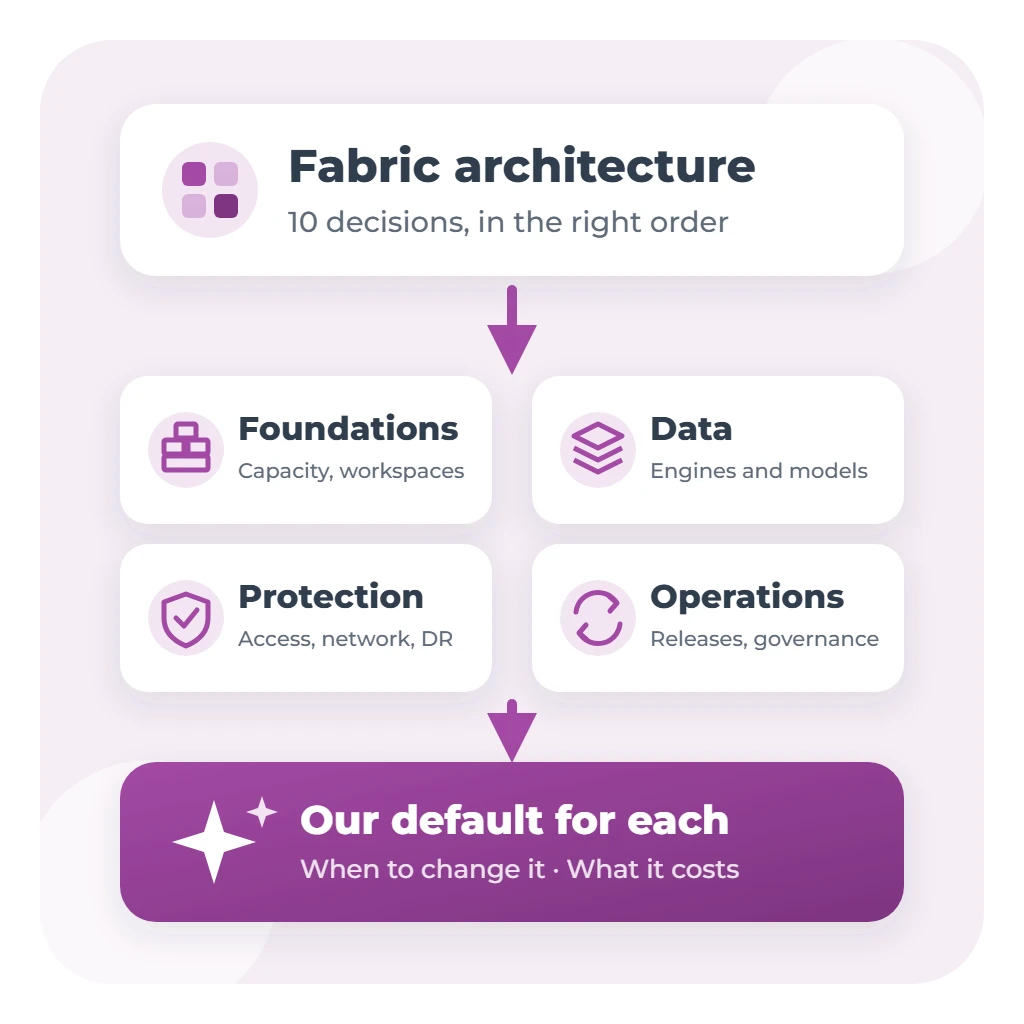
Text version of this diagram
- Foundations: capacity and licensing, then the workspace pattern.
- Data: lakehouse or warehouse for the gold layer, how data gets in, and the semantic model mode.
- Protection: data access, network, and disaster recovery.
- Operations: release workflow and governance.
Each decision below has the same three parts: our default, when to move away from it, and what it costs you. If your situation matches the "move away" line, that's a signal to plan more carefully, not a reason to skip the default everywhere.
The 10 decisions at a glance
| Decision | Our default |
|---|---|
| 1Capacity and licensing | One F capacity, sized from a trial and real measurements |
| 2Workspace pattern | Workspaces per data product, with separate development, test and production workspaces |
| 3Lakehouse or warehouse | Lakehouses for every layer, unless the team loads gold with T-SQL |
| 4Getting data in | The lightest tool that meets the freshness the business needs |
| 5Semantic model mode | Direct Lake for large gold tables, Import for small analyst-built models |
| 6Data access | Workspace roles for builders only; everyone else through apps and item access |
| 7Network | Identity first: Entra ID, MFA and Conditional Access |
| 8Disaster recovery | Built-in resilience, with a written decision about regional outages |
| 9Release workflow | Git from day one, then deployment pipelines |
| 10Governance | Sensitivity labels before sensitive data lands; domains when a second business area arrives |
1. Capacity and licensing
A Fabric capacity is the compute you pay for, bound to one Azure region. How many you buy and how big they are is the first decision that costs money every month. The one number that most often decides the size is how many people only view reports.
- Our default
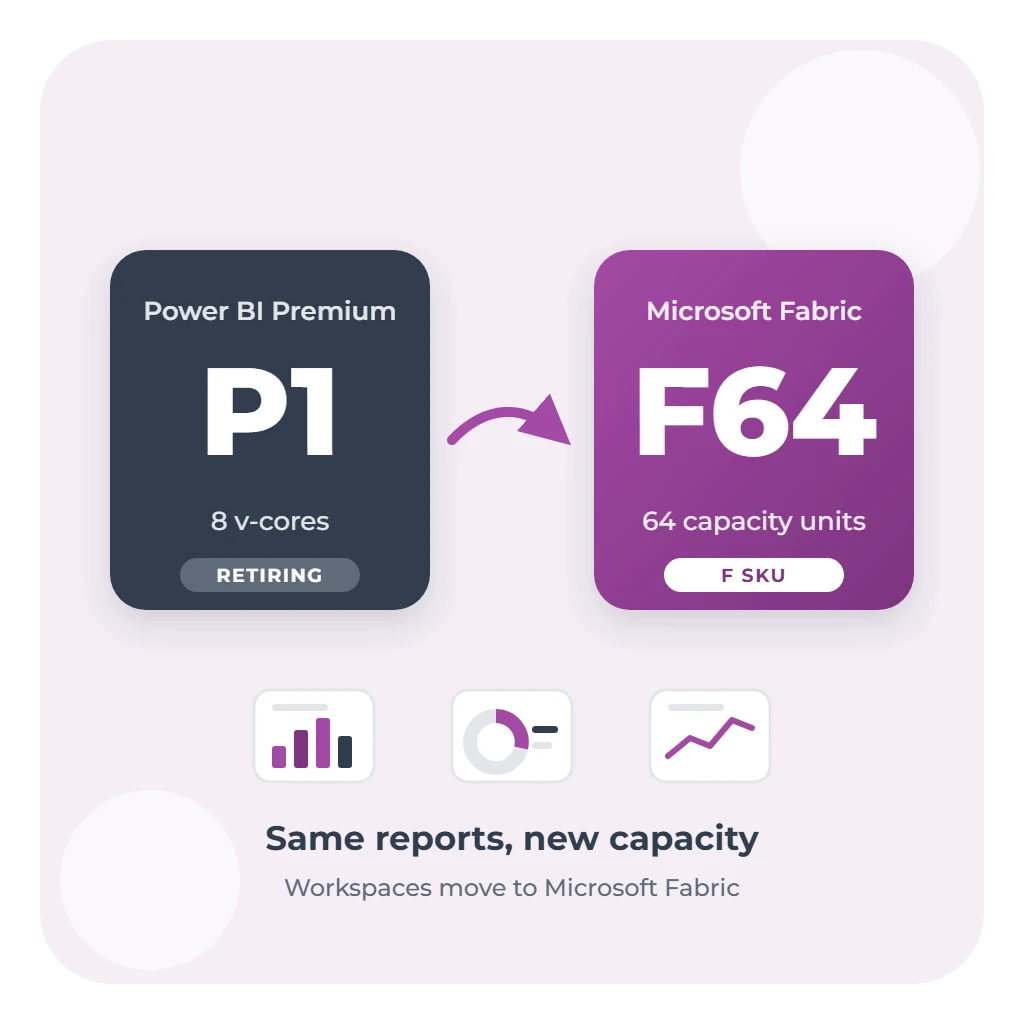
- One F capacity in an Australian region. Size it from a Fabric trial and the Capacity Metrics app, then buy the smallest SKU that holds your peaks. Below F64, every report viewer needs a Power BI Pro or Premium Per User (PPU) licence; at F64 and above, viewers with a free licence and the Viewer role can read Power BI content.
- Move away when
- Measured contention (production reports slowed by development or ad hoc work), a data residency rule, or a hard isolation requirement. The usual second capacity is a separate one for production.
- What it costs
- Every capacity carries idle headroom and needs monitoring, so several small capacities usually cost more than one shared one. PPU doesn't provision a Fabric capacity, so it can't run lakehouses or notebooks. Pausing a capacity saves money, but everything on it stops.
Work out the Pro-versus-F64 sum with your own numbers in our Power BI licensing calculator, and see what Microsoft Fabric costs in Australia. A workspace moves easily between capacities in the same region; moving it to another region means re-creating most of its items, so choose the region carefully.
Microsoft Learn: Microsoft Fabric licences and capacity · Choose a Fabric deployment pattern
2. Workspace pattern
Workspaces are Fabric's main boundary for access, deployment and ownership. More workspaces give stronger boundaries and cost more coordination, so the right number depends on who owns what.
- Our default
- Workspaces per data product or business area, each with separate development, test and production workspaces. The bronze, silver and gold lakehouses of one data product sit together in its workspace.
- Move away when
- Compliance, separation of duties, or different teams owning different layers call for a workspace per medallion layer.
- What it costs
- A workspace per layer triples the workspaces to secure, deploy and monitor. That's worth it when a regulator or an ownership split needs the boundary, and ceremony when one team owns everything.
Microsoft's guidance offers both options. The OneLake medallion guide recommends a separate workspace per layer for more control. The Azure Architecture Center's deployment patterns also describe keeping a data product's layers in one workspace, with separate workspaces where teams or responsibilities differ. We start with the simpler pattern and split when a real requirement appears. One rule doesn't change: deployment pipelines need a separate workspace for each stage, so even a single team needs at least a development and a production workspace.
Microsoft Learn: Medallion architecture in Fabric · Choose a Fabric deployment pattern
3. Lakehouse or warehouse
Lakehouses and warehouses both store Delta tables in OneLake. The difference is how your team writes data: Spark and notebooks, or T-SQL.
- Our default
- A lakehouse for every layer when the team works in Spark, notebooks or Dataflow Gen2. SQL users still query the gold layer through the lakehouse's SQL analytics endpoint.
- Move away when
- The team loads gold with T-SQL and needs multi-table transactions, UPDATE, DELETE or stored procedures. Then use a Warehouse for gold, with lakehouses for bronze and silver.
- What it costs
- The lakehouse SQL analytics endpoint is read-only, so T-SQL loading patterns won't work there. A warehouse adds a second engine to learn, deploy and support.
These are the two medallion patterns Microsoft recommends. Choose on your team's skills: the best engine is the one your people already think in.
Microsoft Learn: Choose between Warehouse and Lakehouse · Medallion architecture in Fabric
4. Getting data in
Fabric has several ways to land data in OneLake. Using the right one for each source avoids building pipelines you don't need.
- Our default
- Shortcuts where the data can stay where it is. Mirroring for supported databases. Copy job for raw loads into bronze. Pipelines only when you need orchestration: dependencies, retries and metadata-driven loads across many tables.
- Move away when
- The business needs data within seconds and the source publishes events. Then use Eventstream. Mirroring and scheduled copies deliver minutes, not seconds.
- What it costs
- Shortcuts and mirroring avoid paying for and managing a second copy, but mirrored data is read-only. Pipelines give the most control and leave you owning their code and state.
Freshness is the most expensive requirement in analytics. Ask what the decision needs, not what sounds impressive.
Microsoft Learn: Choose a data movement strategy · Get data into Microsoft Fabric
5. Semantic model mode
Power BI semantic models can read gold tables directly from OneLake with Direct Lake, or copy data in with Import.
- Our default
- Direct Lake on OneLake for large, IT-owned models over gold tables; Microsoft recommends it for new Direct Lake models. Import for small, analyst-built models and data that lives outside OneLake.
- Move away when
- A table exceeds the Direct Lake limits for your capacity size, for example 300 million rows per table on F2 to F32, or 1.5 billion on F64.
- What it costs
- Direct Lake needs a Fabric capacity. If a Direct Lake on OneLake table goes over the limits, refresh fails until the table is optimised or the capacity is scaled up. Import copies data on every refresh, so large models outgrow it.
Keep gold tables healthy (OPTIMIZE and VACUUM) so they stay within the limits, rather than buying a bigger capacity to compensate.
Microsoft Learn: Direct Lake overview · How Direct Lake works
6. Data access
The most common Fabric security mistake is one convenient role assignment. Row and column rules only restrict people in the Viewer role.
- Our default
- Workspace roles (Admin, Member, Contributor) for the people who build. Everyone else reaches data through a Power BI app, the Viewer role, or sharing a single item. Row and column rules live in OneLake security or the semantic model.
- Move away when
- Different people must see different rows or columns of the same table in Spark, SQL and Power BI. Then define the rules once in OneLake security so every engine enforces them, and test with a restricted user.
- What it costs
- OneLake security roles only grant access, and they don't restrict Admin, Member or Contributor. Give a report reader Contributor "to make it work" and they see everything.
Also check the lakehouse's DefaultReader role before you add restricted roles: it gives anyone with ReadAll permission access to the whole lakehouse.
Microsoft Learn: Table, column and row-level security in OneLake · Best practices for OneLake security
7. Network
Fabric is reached over Microsoft-managed public endpoints and protected by Entra ID by default. Private networking reduces exposure, and adds real set-up and maintenance.
- Our default
- Identity as the perimeter: Entra ID with MFA and Conditional Access policies (Conditional Access needs Entra ID P1). Keep public endpoints for workspaces that hold ordinary business data.
- Move away when
- A policy or regulator requires private network paths. Start with workspace-level private links and outbound access protection on the workspaces that hold sensitive data, rather than locking down the whole tenant.
- What it costs
- DNS, endpoint approvals, gateway planning and some features that behave differently. Workspace-level private links need an F SKU capacity, not a trial or P SKU. With tenant-level Private Link, on-premises data gateways can't register, so plan virtual network data gateways first.
Inbound controls decide who can reach the platform; outbound controls decide where data can go. Our article on securing workspaces in Microsoft Fabric covers inbound security in depth.
Microsoft Learn: Workspace-level private links · Workspace outbound access protection
8. Disaster recovery
Fabric handles failures inside a region for you. A whole-region outage is a shared responsibility: Microsoft can replicate OneLake data, and you rebuild the rest.
- Our default
- Rely on Fabric's built-in resilience across availability zones, where the region supports them, and write down that a regional outage means waiting. That's a legitimate choice when the business has agreed to it.
- Move away when
- The business can't stop for days. Turn on the disaster recovery capacity setting for production, write a recovery runbook for each item type, and rehearse it.
- What it costs
- Replication is billed as extra storage and operations, and once you change the setting you must wait 30 days to change it again. Replication is asynchronous, so recent data can be lost. Data stored outside OneLake, such as KQL databases, isn't covered and needs its own plan.
The setting replicates to the Azure paired region, and it only works where that paired region supports Fabric. Confirm this for your region before you rely on it.
Microsoft Learn: Reliability in Microsoft Fabric · Disaster recovery for OneLake
9. Release workflow
Nothing should reach production by hand. Pick the release workflow your team can run every week without heroics.
- Our default
- Connect the development workspace to Git (Azure DevOps or GitHub) before the first item is built. Promote from development to test to production with Fabric deployment pipelines, which suit teams with limited DevOps experience.
- Move away when
- The team is at home in Git and YAML and needs values replaced at deploy time. Then deploy a tagged release from Git to test and, after approval, the same commit to production, using tools such as fabric-cicd.
- What it costs
- Skipping source control is faster today and painful later: no change history, no review, no way to rebuild after a mistake. Code-first releases mean owning pipeline code and a service principal.
Microsoft documents four workflow options. Whichever you choose, each stage should deploy a known, versioned release, and production should get exactly what was tested.
Microsoft Learn: Choose the best Fabric CI/CD workflow option
10. Governance
Governance is where the platform stays trustworthy as more people use it. Start with what's cheap and protects you most.
- Our default
- Publish sensitivity labels and set a default label policy for Fabric and Power BI before sensitive data lands. Add Fabric domains when a second business area starts building its own data products.
- Move away when
- You run a federated, domain-owned operating model, or Microsoft Purview already governs your wider data estate. Then delegate settings to domain admins and extend your existing catalogue and policies over OneLake.
- What it costs
- Labels are cheap to start. Default labelling has limits for some non-Power BI items, so check what's covered. A data mesh for a single team is structure nobody will maintain.
Microsoft Learn: Information protection in Microsoft Fabric · Default label policy for Fabric and Power BI · Fabric domains
Want these decisions made for your organisation?
Our Microsoft Fabric Readiness Review works through these decisions against your platform and data sources, and gives you a target architecture, a capacity recommendation and a staged migration roadmap. If you're ready to build, the Fabric Accelerator takes you from that plan to a working platform.
Frequently asked questions
Do we need F64 to use Microsoft Fabric?
No. Any F SKU runs Fabric workloads such as lakehouses, warehouses and notebooks. F64 matters for Power BI viewing: below F64, every report viewer needs a Pro or PPU licence; at F64 and above, viewers with a free licence and the Viewer role can read reports. Compare the two with our licensing calculator.
Should every medallion layer have its own workspace?
Not by default. A separate workspace per layer gives stronger boundaries and makes sense when compliance, separation of duties or different owners require it. For one team that owns the whole pipeline, keeping a data product's layers together in one workspace is simpler to secure, deploy and support.
Do we need Private Link for Microsoft Fabric?
Usually not for ordinary business data: Entra ID, MFA and Conditional Access protect access by identity. Private networking makes sense when a policy or regulator requires private paths, and then it's usually best applied to the workspaces that hold sensitive data rather than the whole tenant.